AI & Advanced Editor

LAWDEPOT

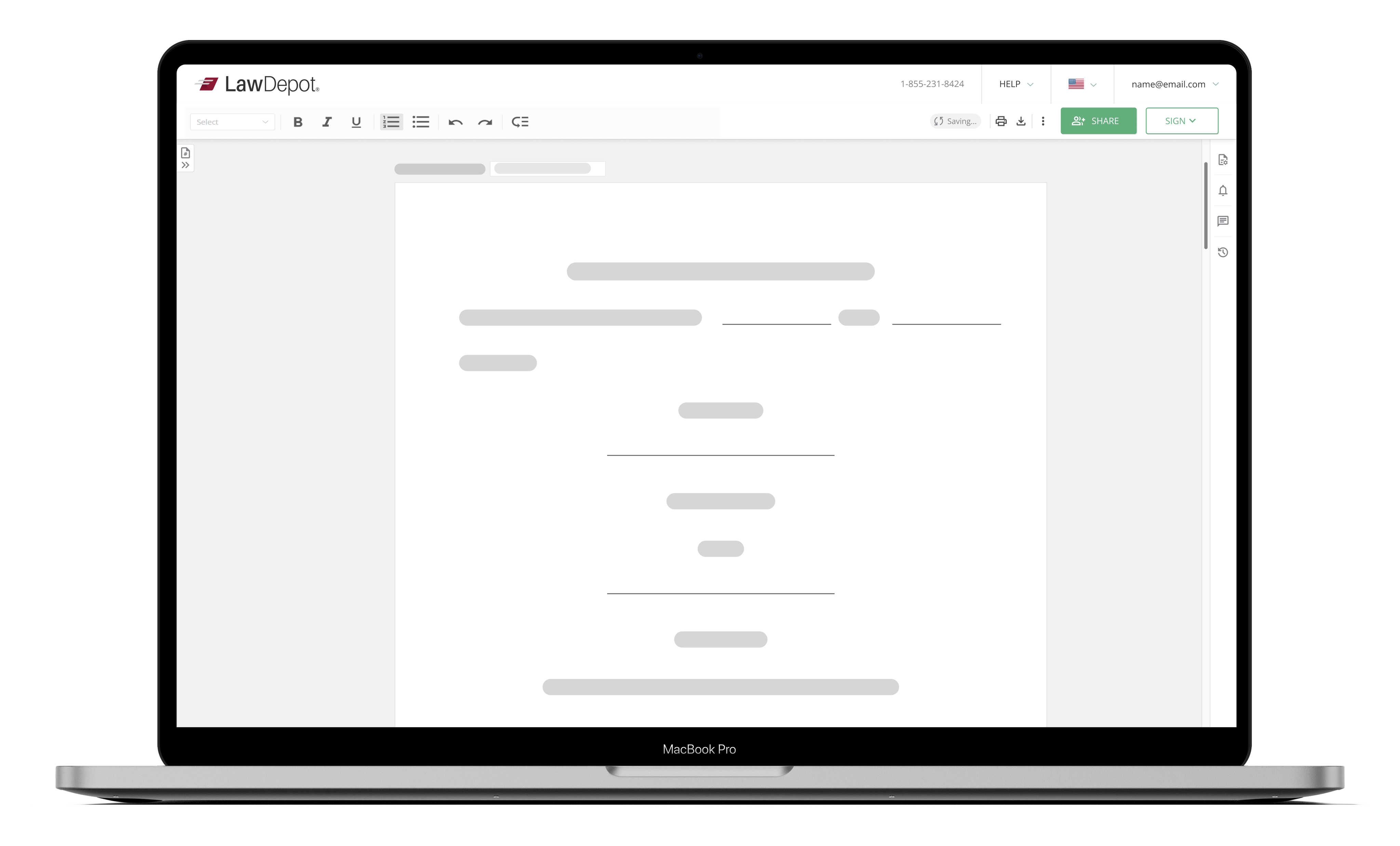
Advanced Editor optimization , redesign and integration of AI Document Assistant into AE.
PROJECT SUMMARY
The project focuses on redesigning and implementing a low-effort but high-impact solution that modernizes the editing experience, supports better usability across devices, and aligns with user needs identified during research.

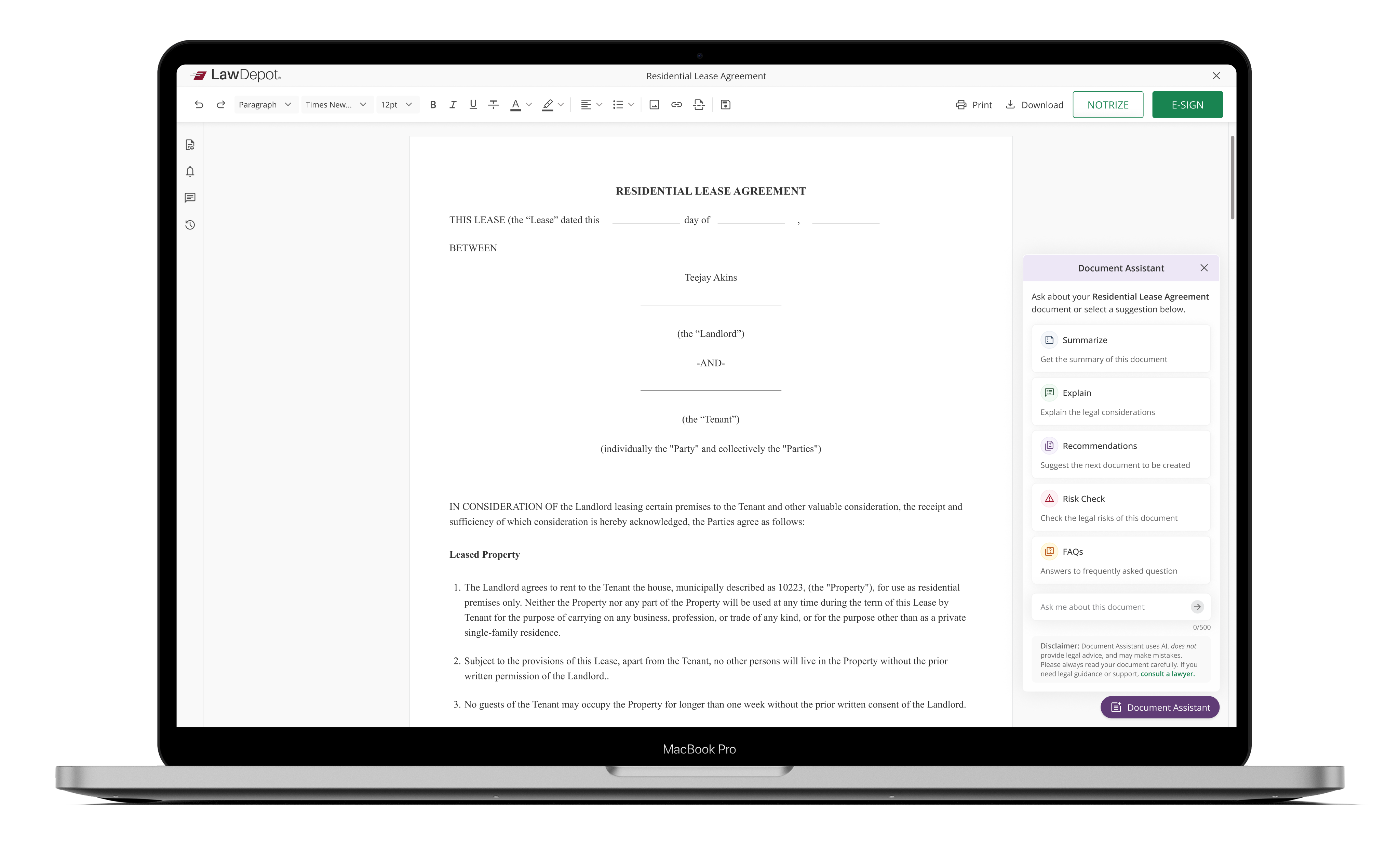
As part of this enhancement, the project also included the integration of an AI document assistant. This AI-powered feature will help users by providing intelligent suggestions, content generation support, and context-based editing assistance, further streamlining legal document creation and editing.
    THE OBJECTIVES
    • It aims to enhance the usability of the current text editor which was driven by feedback gathered during user interviews, which highlighted several areas for improvement in the existing editor.  
    • Increase in usability score from <40 to >80.
    • Accelerate task completion for eSign and Notary sessions.
    • Drive measurable revenue impact.
    LOCATION
    Edmonton (Canada)
    COMPANY
    LawDepot
    MY ROLE
    Product Designer in a team of 5 members
    DURATION
    July 2023 - August 2025
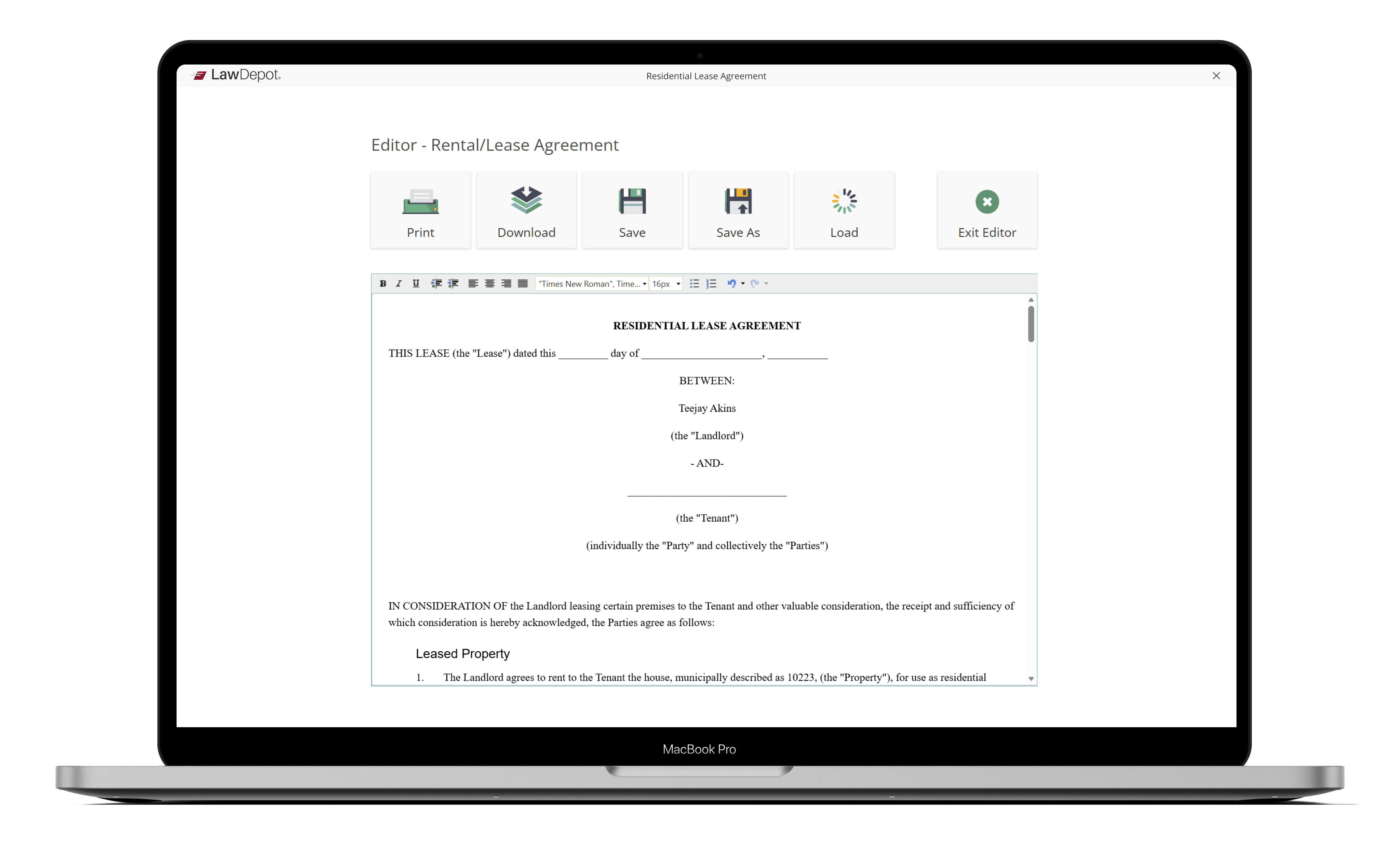
    OLD EDITOR
    NEW EDITOR
    DEFINING MOMENTS

    The problem/ opportunity

    THE PROBLEM
    THE OPPORTUNITY

    My design strategy

    RESEARCH AND DISCOVERY

    User research

    We began with a mixed-methods research approach:

    Key Insights:

    EXPLORATIONS

    Competitor analysis

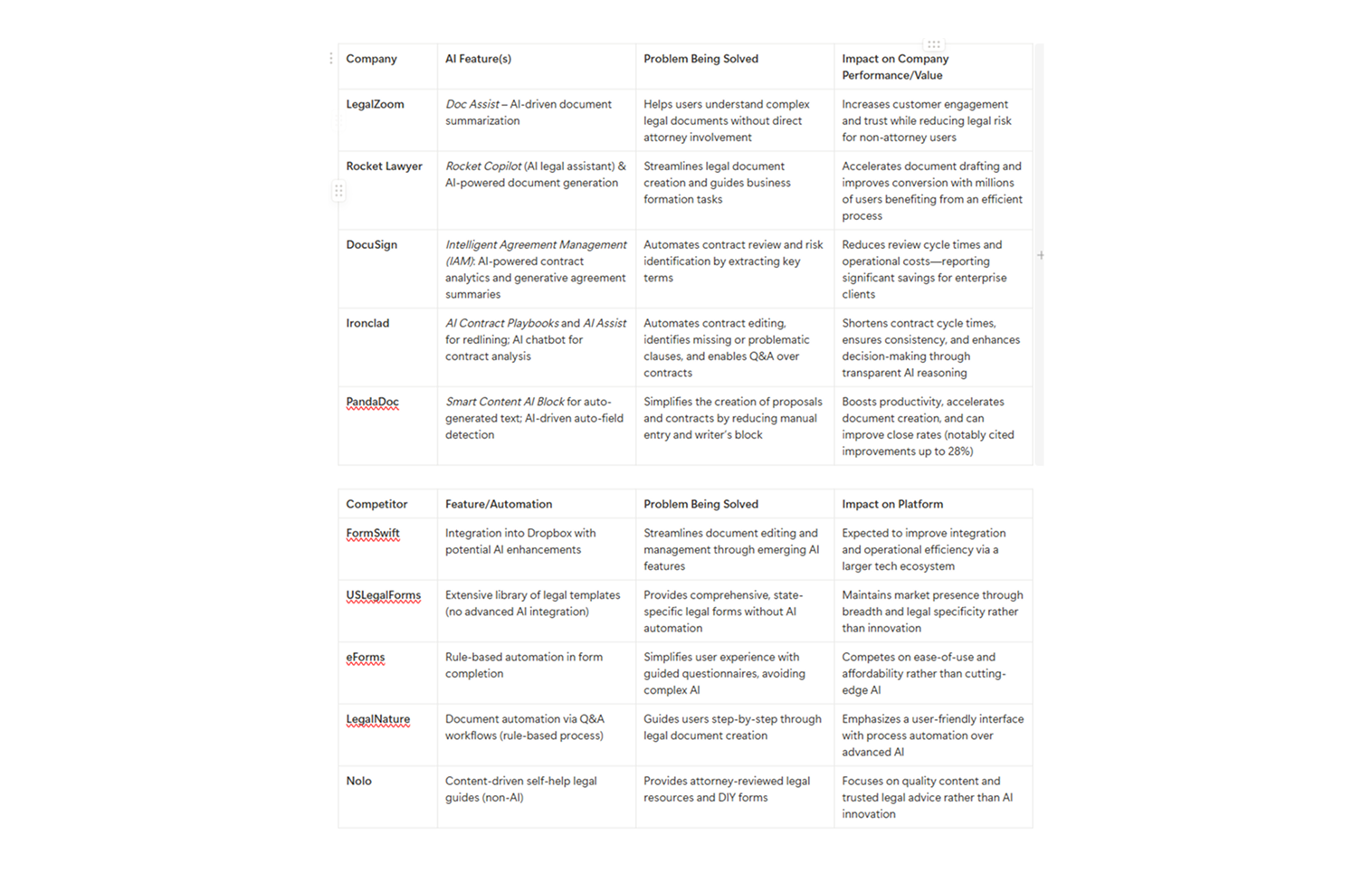
    Here’s a Competitive Analysis of key AI-enabled legal document platforms, covering their core functionalities.
    Brainstorming

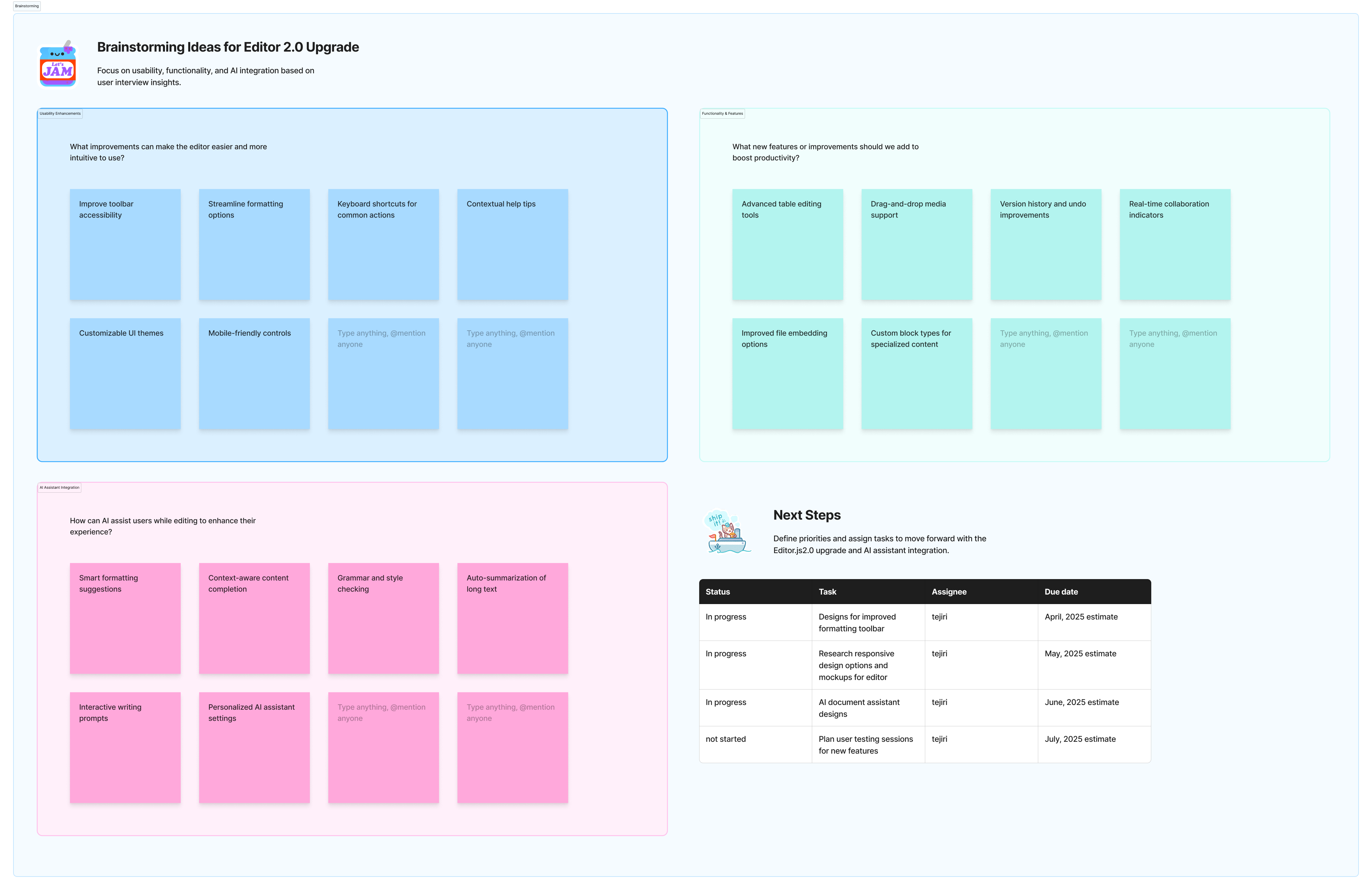
    Brainstorming sessions were done to generate ideas on the upgrade from Editor 1.0 to Editor 2.0 and AI integration.
    MOCKUPS

    Initial explorations

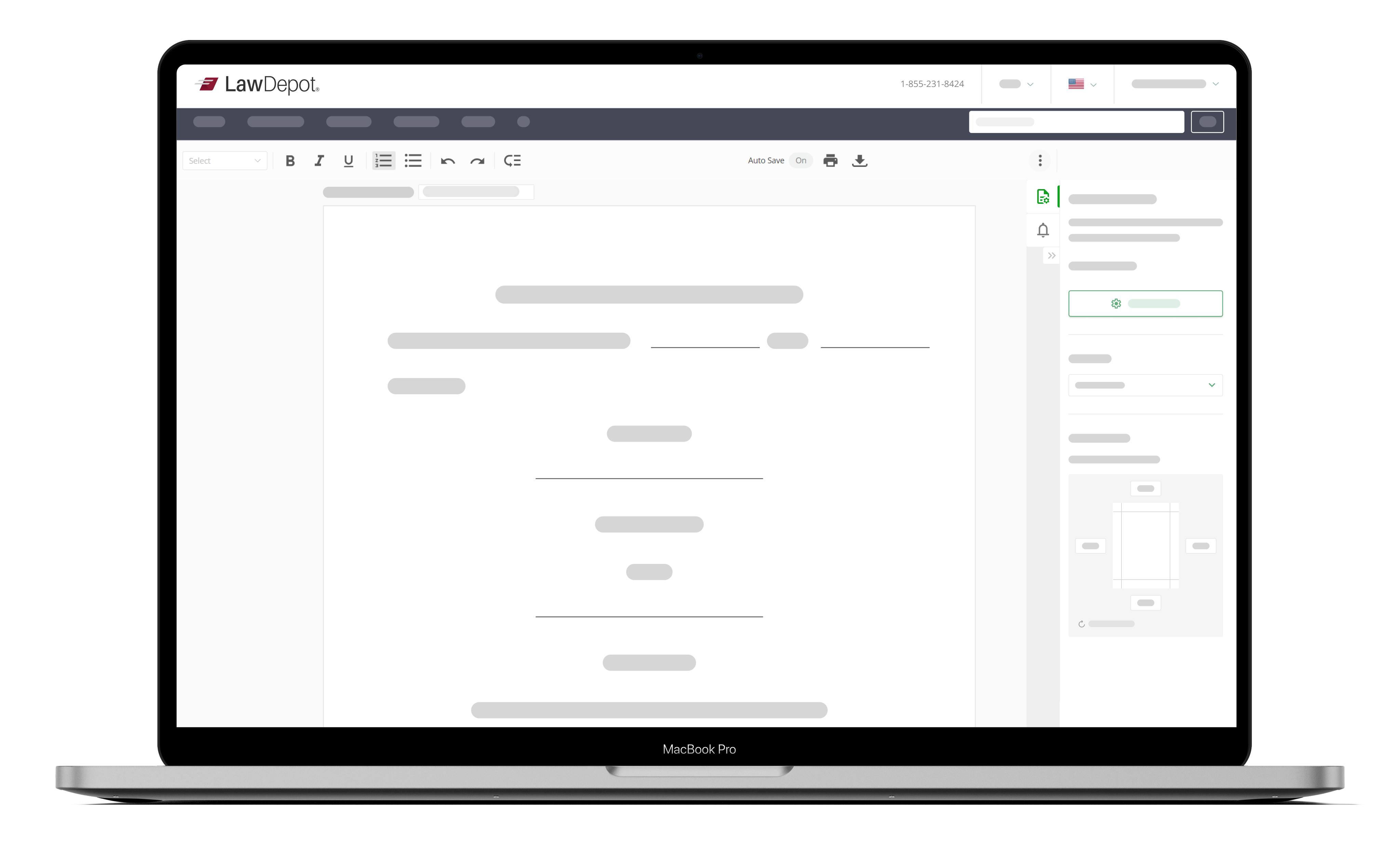
    initial mockups were created and presented to the team.
    MOCKUPS

    Final responsive designs

    The final responsive designs aims to deliver a clean, modern, and adaptive editing experience that remains fully functional and visually coherent across all devices — desktop, tablet, and mobile. The focus is on improving usability, accessibility, and workflow efficiency while integrating the new AI document assistant seamlessly within the editor interface.

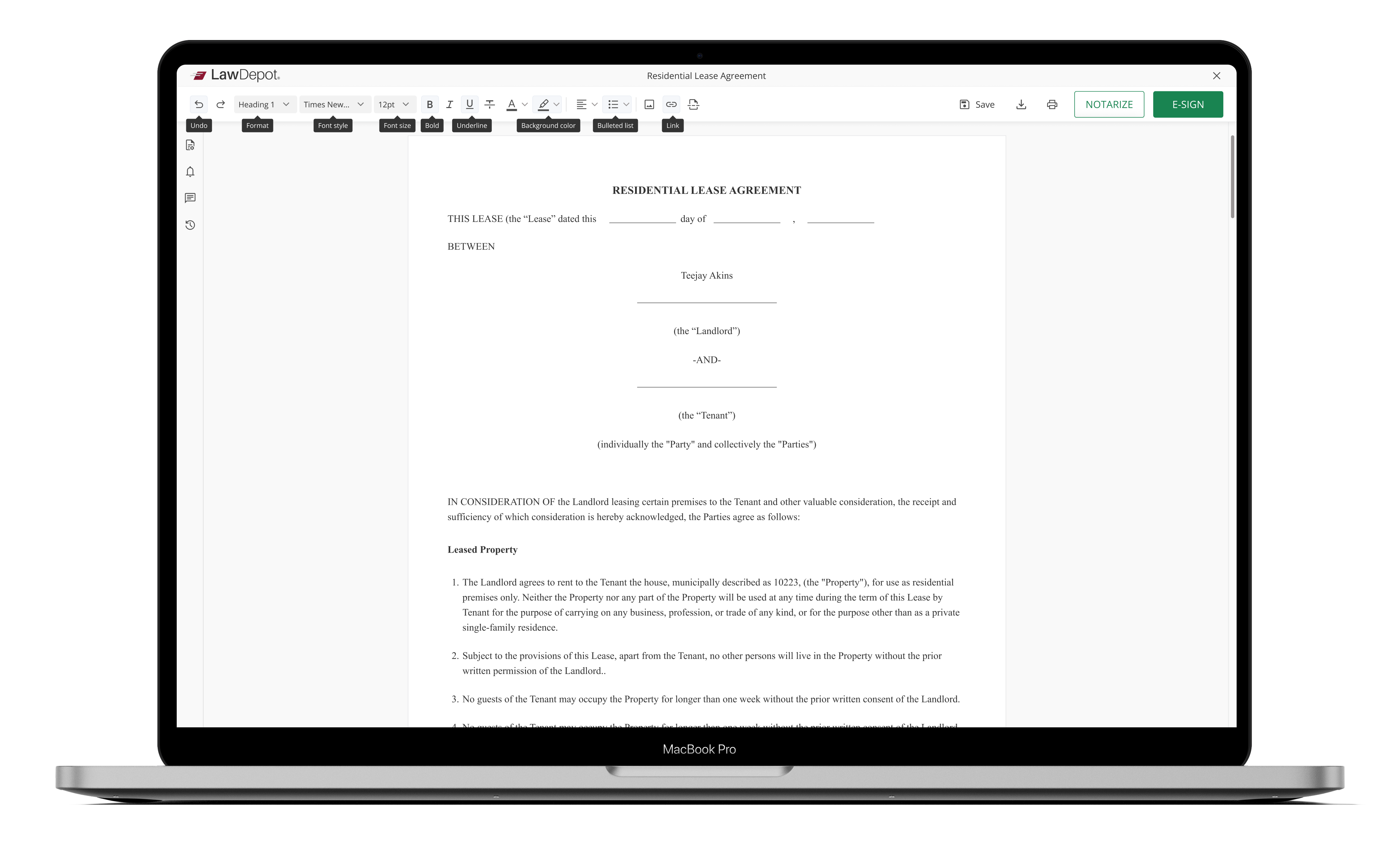
    Tooltips for accessibility

    Integrating accessible tooltips ensures that the upgraded editor and AI assistant are usable, inclusive, and informative.
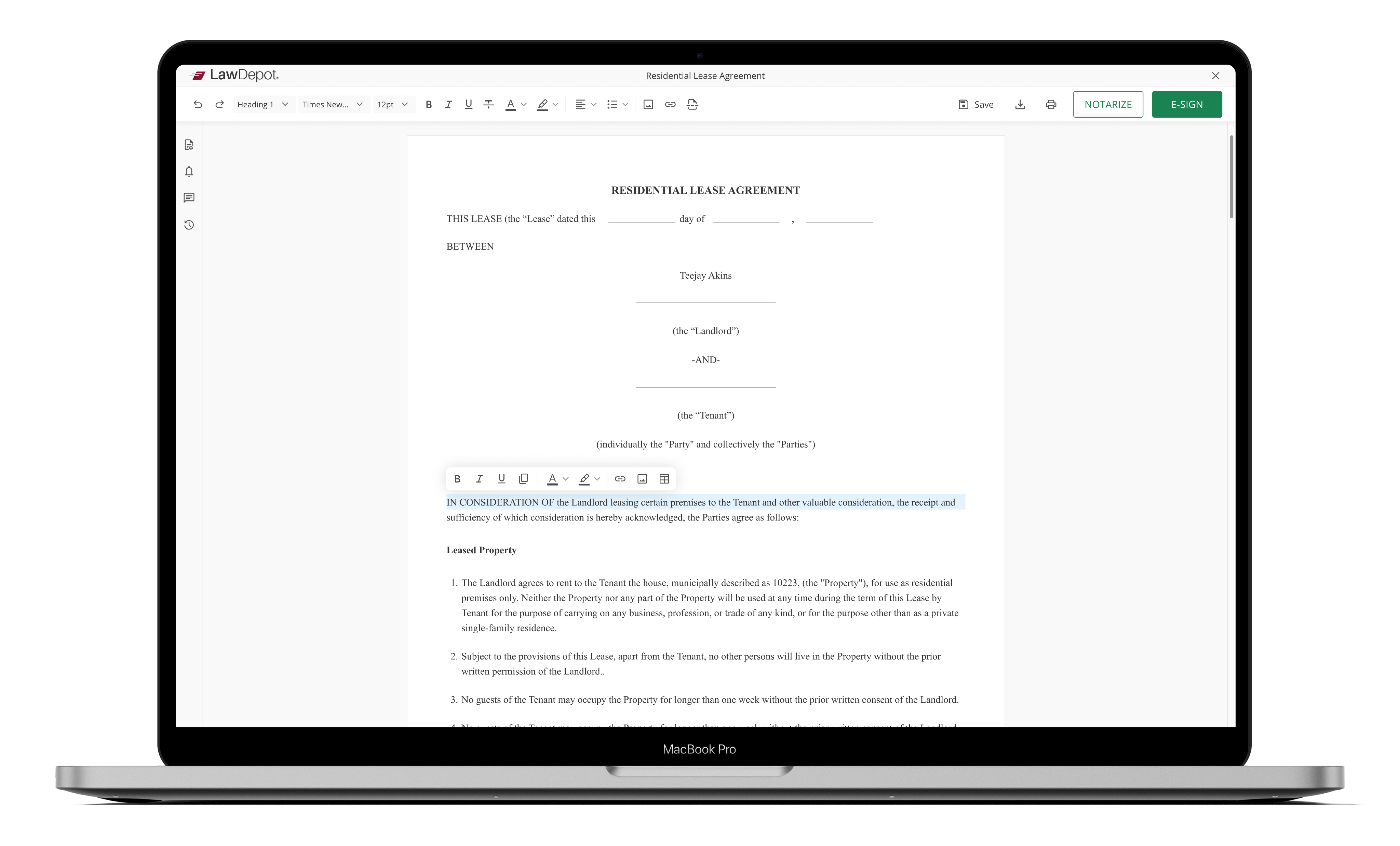
    Inline editing

    With inline editing implemented, users can directly modify text, images, tables, and AI-generated suggestions in place, ensuring a fluid, responsive, and intelligent editing experience.
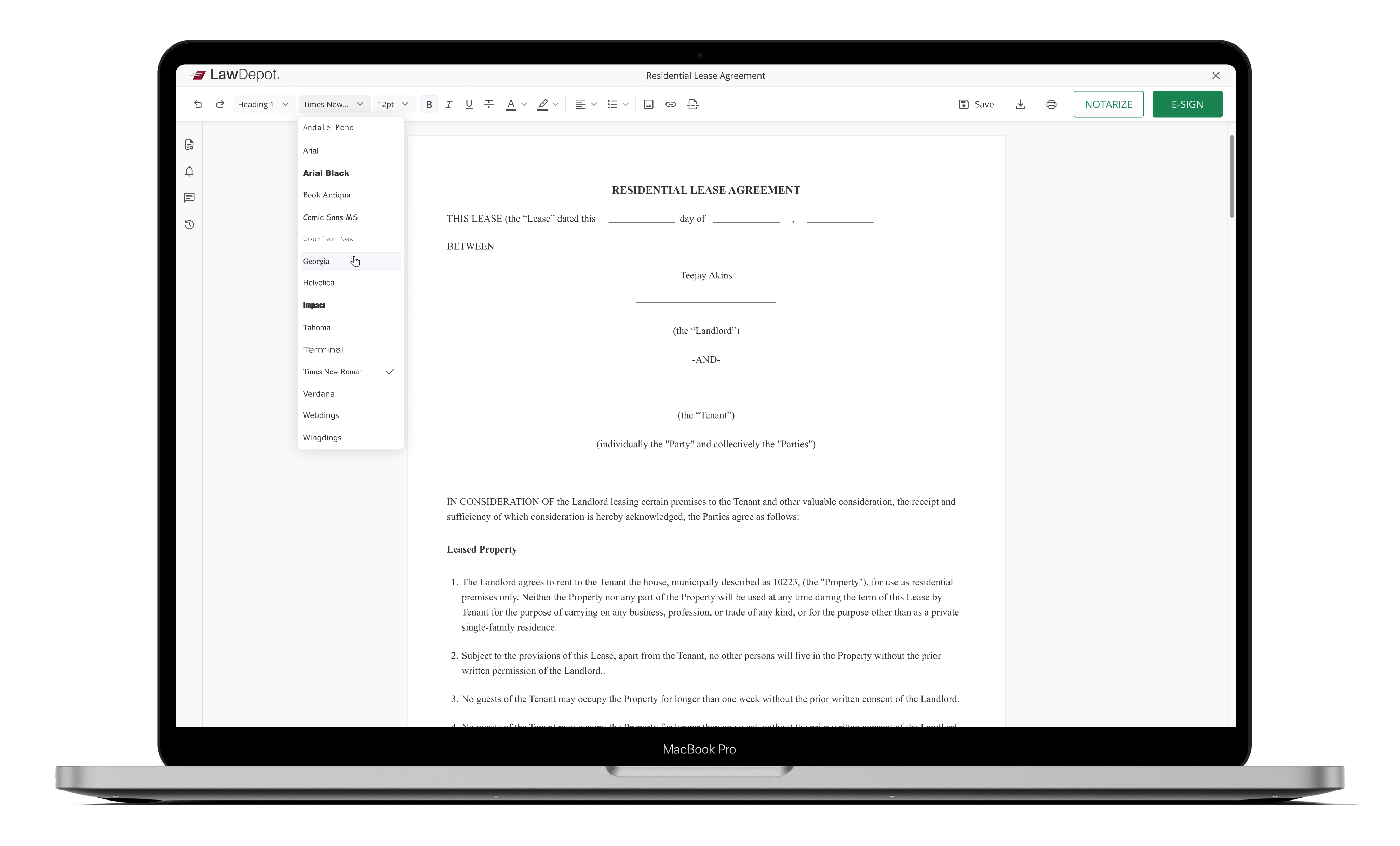
    Dropdowns

    Enhanced dropdowns created a faster, more intuitive editing experience that scales gracefully across devices.
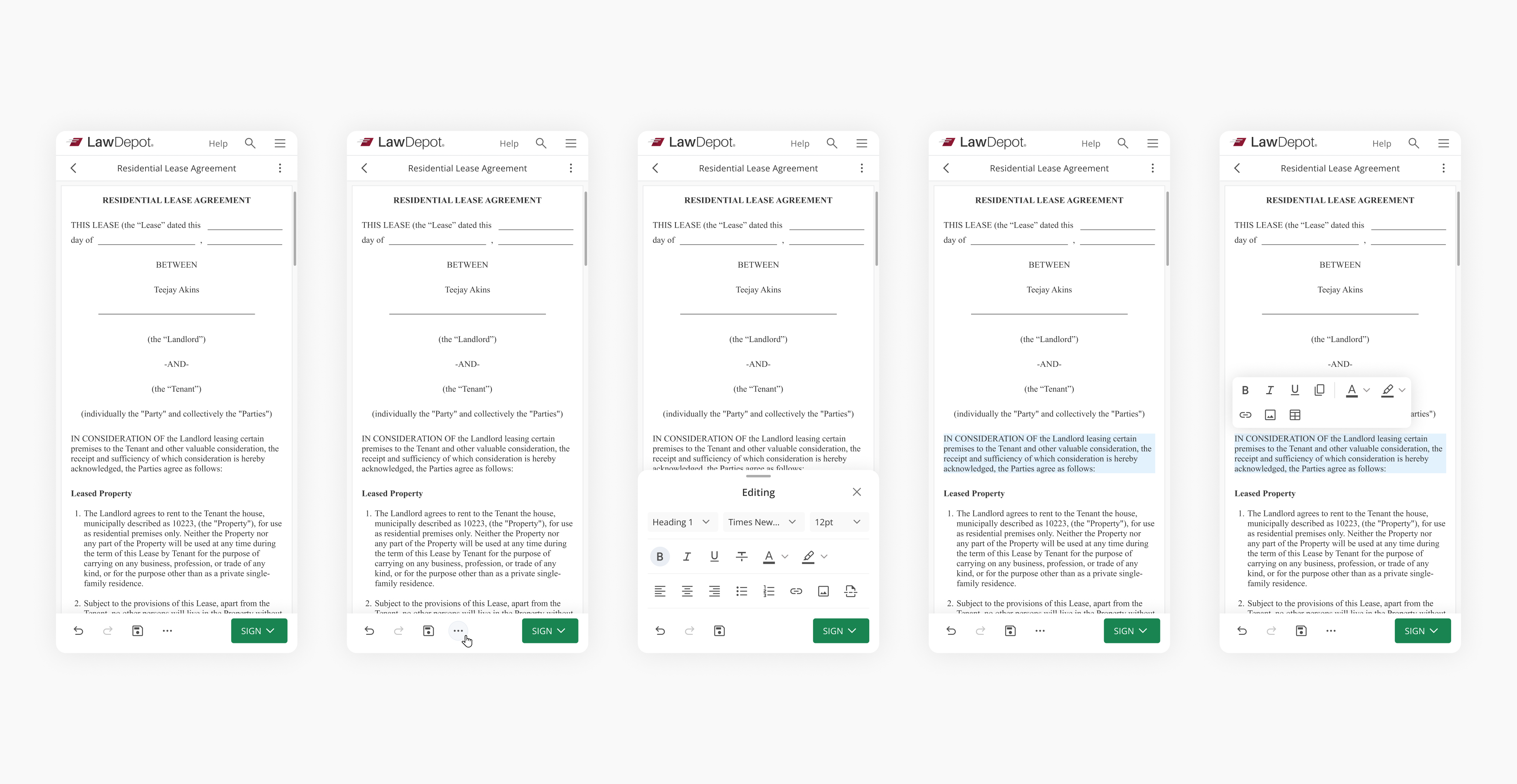
    Mobile designs

    On mobile, the editor becomes a focused work surface:
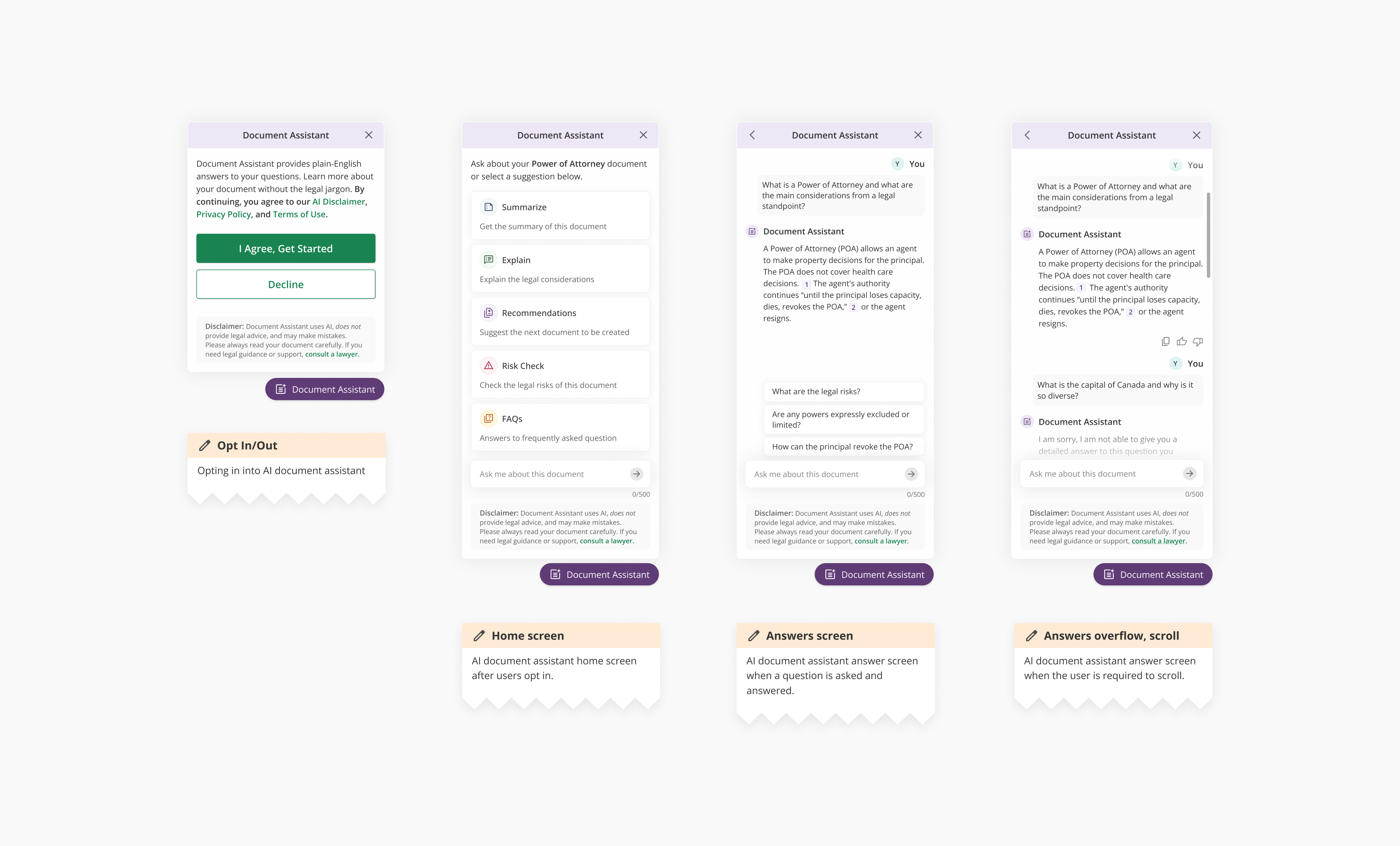
    AI document assistant

    Final designs were created for AI document assistant after multiple rounds of iterations.
    WRAPPING UP

    The impact

    THE IMPACT
    • Six-figure lift in revenue within the first quarter post-launch.
    • SUS usability score increased from <40 to >80.
    • eSign initiations rose by 39%.
    • Bounce rate dropped by 35%.
    • Notary initiations rose by 43%
    Going forward
    LESSONS LEARNED
    The Editor. 2.0 responsive redesign project highlighted the value of simplicity, consistency, and contextual actions across all screen sizes. Designing mobile‑first improved hierarchy, touch usability, and clarity in interface priorities. Implementing inline editing and accessible tooltips created a smoother, more inclusive experience for all users.

    Integrating the AI assistant contextually increased efficiency and user trust without disrupting control. Overall, the project proved that balanced focus on responsiveness, accessibility, and intelligent assistance leads to a cohesive, future‑ready editor experience.
    NEXT STEPS
    The next steps focus on refining the editor through continued user testing to validate accessibility, mobile interactions, and AI usability in real scenarios. Feedback from diverse users will guide iterative improvements to tooltips, dropdowns, and inline editing behaviors.

    The team will prioritize performance optimizations and fine-tune adaptive layouts to ensure smooth transitions across devices. Documentation and developer handoff will be updated to reflect refined design patterns and accessibility standards. Finally, testing and analytics will support a data-informed rollout of enhanced AI features in future versions.
    Some more projects
    Next project
    Microsoft - Shopping & autos experience redesign
    Previous project
    Shopify - Canada Post bring your own account